HypeHost - Logo

Storage VPS and Bare Metal in São Paulo

Storage with room for your data

Store backups, centralize files, and host your private cloud. Choose a VPS built around disk space or an exclusive physical server to manage storage your way.

How much space does your project need?

Start with your data volume and how you access it. A VPS provides space with a lower upfront investment; bare metal gives you exclusive hardware and control over the disks.

Storage in a virtual machine

VPS Storage

A KVM VPS for backups, files, and storage applications, without renting an entire physical server.

From 500 GB to 12 TB of HDD storage

Estimated starting price

US$ 20/mo

US$ 60 paid quarterly. Monthly equivalent shown.

  • SSD space for the operating system and applications, with HDD space for your data.
  • Root access to install and manage your storage services.
  • For backup repositories, Nextcloud, and file sharing.
View Storage plans

Bare Metal Storage

Monthly w/ fidelity

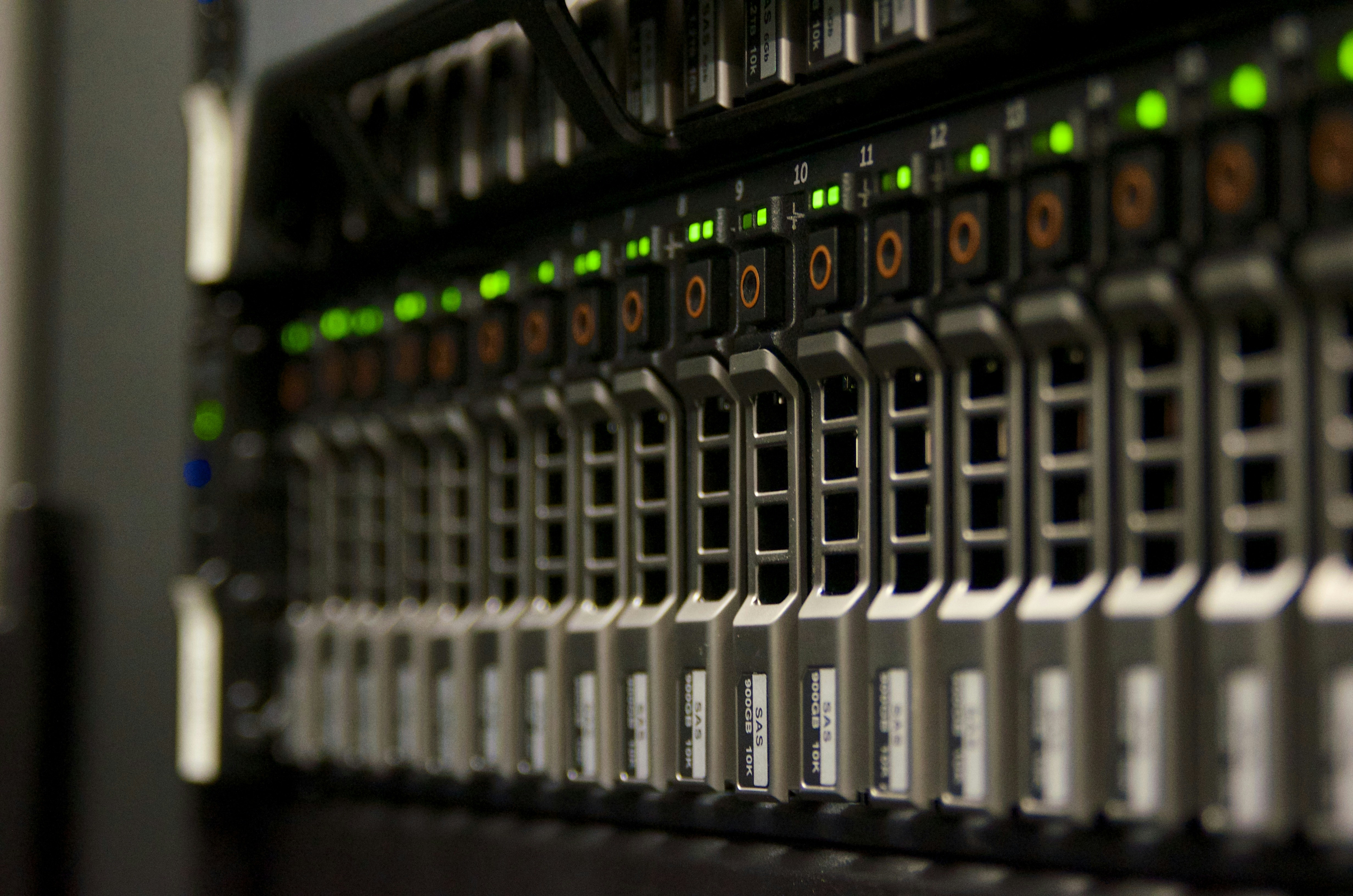
Bare Metal Storage combines SSDs and HDDs in a dedicated server for larger repositories, backup retention, and projects that need control over hardware and file systems.

Processor
Dual Xeon E5-2680 v2
Datacenter
São Paulo

AntiDDoS included

Base with a 12-month commitment
US$ 406
Selected add-ons
+US$ 0

Monthly estimate

US$ 406/mo

Monthly payments with a 12-month commitment and 30% off the base configuration. Add-ons are billed separately.

The controller, RAID level, and availability are confirmed in your quote.

Capacities describe the physical disks. Usable space depends on RAID, formatting, and your chosen configuration. Check model availability and delivery time.

Software or hardware RAID?

We offer both options for Bare Metal Storage: Dell PERC controllers, including H310 and H710, or software RAID with ZFS, MDADM, and other compatible solutions. The choice depends on your operating system, access patterns, and how your team manages data.

Hardware with Dell PERC

The controller organizes the disks and presents volumes to the operating system. We evaluate PERC H310, H710, and other models compatible with the server and project.

Advantages

  • Redundancy managed by the controller, with dedicated tools for monitoring disks and rebuilds.
  • Compatible models, such as the H710, can provide protected write cache for certain access patterns.

Considerations

  • Replacement or recovery may require a compatible controller and firmware.
  • Features vary by model. The H310 has no dedicated write cache; cache, battery, and write policies need to be checked in the proposal.

Software with ZFS or MDADM

The server manages the disk array. ZFS combines storage management with a file system; MDADM manages Linux RAID and lets you choose a separate file system.

Advantages

  • ZFS provides integrity checks, snapshots, and compression in the file system.
  • MDADM and ZFS reduce dependence on a controller-specific proprietary RAID format.

Considerations

  • Uses server CPU and RAM. Resource requirements depend on the configuration and access volume.
  • Requires operating system administration, disk monitoring, and tested recovery procedures.

For ZFS, we recommend direct disk access through an HBA or an equivalent compatible setup. We avoid placing ZFS over hardware RAID volumes so it retains visibility and control of the disks.

We recommend the approach that fits your needs: compatibility with your existing environment, usable capacity, expected performance, and ease of maintenance. RAID helps tolerate disk failures; independent copies and restore tests remain necessary.

See how each RAID layout works

Compare usable capacity and data protection. Choose a layout and click the drives to see what happens when they fail.

These layouts distribute data, copies, and parity across drives. Compatible controllers or software such as MDADM can implement them; supported levels depend on the solution.

RAID 1

Writes the same data to two drives. The second holds a complete copy of the first.

Physical capacity
16 TB
Estimated usable capacity
8 TB

8 TB for data + 8 TB for copies/parity

How many drives can fail?
One drive in the pair. If both fail, that copy is no longer available.
When it makes sense
Operating systems and smaller volumes that need simple mirroring.
Considerations
Two 8 TB drives provide about 8 TB of usable capacity: half of the space holds copies.
Example: 2 drives of 8 TB

Click a drive to simulate or undo a failure.

Group 1

  • Data
  • Identical copy

Blocks with the same code represent the same information. In a mirror, they appear on both drives.

All drives are available.

Simulated failures: 0

This simplified simulation covers drive failures only. Approximate capacities use equal 8 TB HDDs, before formatting, metadata, and reserves, without compression. System SSDs are sized separately. The configuration depends on the selected controller or software. RAID does not replace backups.

Technical references:Dell PERCOpenZFSLinux MDRAID - DellZFS - zpoolconcepts

Room for the data your business keeps

Server backups

Keep copies of websites, databases, and virtual machines outside the source server. Set retention policies with your backup software.

Files and private cloud

Install Nextcloud or another file application to centralize documents, set permissions, and share with your team.

Media libraries

Organize photos, videos, and production assets. Size your disks and network for file sizes and transfer frequency.

Records and archives

Reserve space for reports, logs, and documents accessed occasionally, with retention periods set for your business.

Frequently asked questions (FAQ)

See the most common questions about our VPS and bare metal storage.

How much will your storage cost?

Compare catalog options by their monthly cost. The 500 GB VPS price is the monthly equivalent of a quarterly payment. Bare Metal Storage estimates use a 12-month commitment and the base memory and network configuration.

VPS Storage

Storage VPS plans and monthly estimates
ConfigurationMonthly estimate
KVM Storage 500GB4 GB RAM · 30 GB SSD · 500 GB HDD · 2 cores · 1 GbpsUS$ 20/moUS$ 60 paid quarterly. Monthly equivalent shown.
KVM Storage 2TB8 GB RAM · 60 GB SSD · 2 TB HDD · 4 cores · 2 GbpsUS$ 38/moMonthly payment
KVM Storage 4TB16 GB RAM · 120 GB SSD · 4 TB HDD · 6 cores · 5 GbpsUS$ 70/moMonthly payment
KVM Storage 8TB32 GB RAM · 200 GB SSD · 8 TB HDD · 10 cores · 10 GbpsUS$ 126/moMonthly payment
KVM Storage 12TB48 GB RAM · 300 GB SSD · 12 TB HDD · 16 cores · 10 GbpsUS$ 198/moMonthly payment

Bare Metal Storage

Includes 128GB RAM and a 1x 10Gbps port with flexible traffic. Monthly payments with a 12-month commitment. Memory and network prices below are added to the chosen configuration.

Bare Metal Storage disk configurations and monthly estimates with a 12-month commitment
StorageMonthly estimate
2x 1TB SSD + 32TB HD (4x8TB HD)US$ 406/mo
2x 2TB SSD + 32TB HD (4x8TB HD)US$ 506/mo
2x 2TB SSD + 48TB HD (6x8TB HD)US$ 626/mo
2x 2TB SSD + 64TB HD (8x8TB HD)US$ 746/mo
2x 2TB SSD + 80TB HD (10x8TB HD)US$ 866/mo
2x 2TB SSD + 96TB HD (12x8TB HD)US$ 986/mo
2x 3.84TB SSD + 96TB HD (12x8TB HD)US$ 1,166/mo

Memory

  • 128GB RAMIncluded in base
  • 256GB RAM+US$ 80/mo
  • 384GB RAM+US$ 160/mo

Network

  • 10 GbpsFlexible trafficIncluded in base
  • 2 Gbps Full100% unlimited traffic with dedicated bandwidth+US$ 400/mo
  • 5 Gbps Full100% unlimited traffic with dedicated bandwidth+US$ 900/mo
  • 10 Gbps Full100% unlimited traffic with dedicated bandwidth+US$ 1,600/mo

The controller, RAID level, and availability are confirmed in your quote.

Storage in Brazil for backups, files, and business data

Storage is the infrastructure that keeps your business data available. At HypeHost, you can choose Storage VPS in São Paulo for space in a virtual machine or Bare Metal Storage to manage an exclusive physical server. Both let you install applications compatible with the selected operating system. The differences are hardware control, room for expansion, and how you organize disks, access, and file recovery.

Storage VPS: start with space and a lower investment

Storage VPS suits backup repositories, team files, and smaller private clouds. Plans combine SSD space for the operating system and applications with HDD space for data, KVM virtualization, and administrative access. The table lists every catalog capacity, memory, CPU, and network specification, and each price’s billing cycle. Choose a VPS when your data fits within the plan and you prefer not to rent an entire physical server.

Bare Metal Storage: disks and resources under your control

Bare Metal Storage provides exclusive hardware with Dual Xeon E5-2680 v2, memory options of 128GB RAM, 256GB RAM, 384GB RAM, and a 1x 10Gbps port in the base configuration. The catalog combines SSDs for the operating system and applications with different HDD counts for more data. You can choose the disk layout, operating system, and RAID strategy compatible with your project. It suits customers who need greater capacity, configuration flexibility, and physical resources reserved for their business.

Choose RAID alongside usable capacity

Physical disk capacity is not the space available after configuration. Mirroring, parity, formatting, and system reservations change usable capacity. We offer hardware RAID with Dell PERC and software options such as ZFS and MDADM. The choice considers disk count, read and write patterns, recovery time, and the team’s ability to manage the environment. ZFS uses direct disk access; a hardware RAID controller calls for a different design.

Size retention, access, and transfer windows

Share your current data volume, expected growth, number of copies, and retention period. A full backup followed by incremental copies uses space differently from a video library or files accessed throughout the day. Also consider the source connection, read and write speed, and the time available for transfers. Network port speed describes the connection and does not guarantee the transfer rate of each copy.

Backups, Nextcloud, media, and file repositories

Use storage as a destination for website, database, and virtual machine copies, as a base for a private cloud with Nextcloud, or to organize media, reports, and historical files. With administrative access, you install compatible software and define users, permissions, encryption, and backup routines. Customers manage these applications; licenses, assisted installation, and other services must be part of the agreed scope.

RAID and backups serve different purposes

RAID can keep an array working after certain disk failures, depending on the level chosen, but it does not replace an independent copy. Deletion, file corruption, and a compromised system require other recovery points. Define backup frequency, retention, and an acceptable restore time for your services. Test recovered files and applications: the goal is to resume operations, not simply accumulate copies.

When is Bare Metal Storage the better choice?

For larger repositories, long retention, and sustained disk access, Bare Metal Storage has advantages over a VPS: exclusive hardware, more memory and disk options, and direct control of the storage layout. You are not limited to a plan’s virtual disk volume and can choose between a PERC controller and software RAID. A VPS remains suitable for starting with a lower investment; a dedicated server is a better fit when capacity, predictable resource availability, and configuration freedom become priorities.

Let’s size your storage

Tell us how much data you store today, how you access it, and how much you expect to grow. Already own a storage server? Explore colocation too.

Payment methods

We accept credit cards (Visa, Mastercard, Elo, Amex), Pix with instant activation, PayPal, bank slip and bank transfer.

SWIFT subject to prior review. Contact us for details.

VisaVisa
MastercardMastercard
EloElo
AmexAmex
PixPix
Mercado PagoMercado Pago
Talk to us on WhatsApp